
Free Fire continues to receive regular updates that improve gameplay, introduce new features, balance characters, add events, and fix technical problems. Keeping the game updated helps players access the latest content and stay compatible with current game servers.
The latest official Free Fire news currently lists the OB55 update dated September 10, 2026, making it the newest major patch shown by Garena. Players should always check their official app store for the update available to their specific device and region.
Latest Free Fire Update Version
Garena lists the latest major update as Free Fire OB55, released in September 2026. Major Free Fire updates can introduce gameplay adjustments, new content, events, balance changes, interface improvements, and technical optimizations designed to improve the overall experience.
Update availability can vary by operating system, region, device, and rollout schedule. If the newest version doesn’t appear immediately, wait for the official rollout rather than installing files from unknown sources.
Why Free Fire Updates Are Important?
Free Fire updates matter because the game constantly evolves with new gameplay content and technical improvements. Updates can improve stability, fix bugs, optimize performance, and keep players compatible with the current version of the game.
Using an outdated version can sometimes prevent players from entering matches or accessing certain features. Regular updates also help maintain a consistent multiplayer environment because players connect through supported game versions and current server systems.
Free Fire Update Download for Android
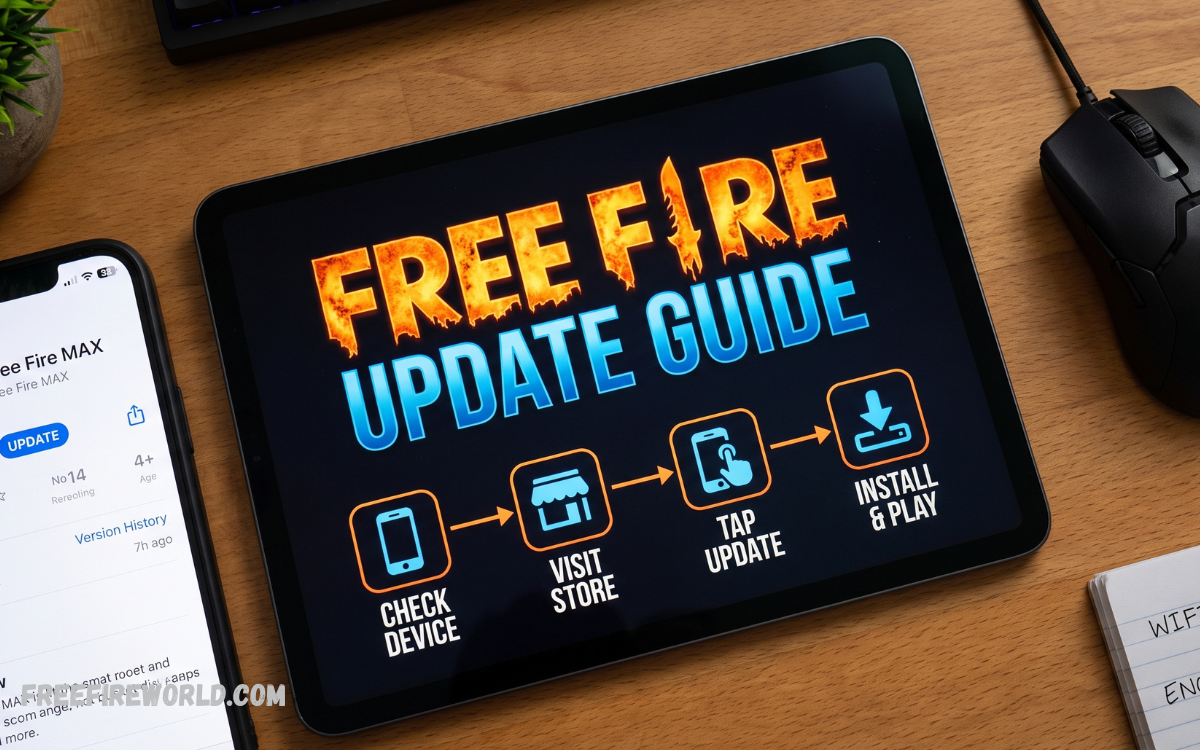
Android users can update Free Fire through the official app marketplace installed on their smartphone. Open the store, search for Free Fire, and check whether an Update button is available instead of the normal Open button.
Before starting the download, connect to a reliable internet connection and make sure you have enough storage space. Large game updates can require additional temporary storage during installation, so keeping extra free space can help prevent interruptions.
Free Fire Update Download for iPhone
iPhone and iPad users can update Free Fire through the App Store. Open the App Store, go to the Updates section, find Free Fire, and select Update when the latest version becomes available.
A stable Wi-Fi connection is recommended for larger downloads, particularly when the update contains substantial game resources. Keeping iOS updated can also help maintain compatibility with newer versions of demanding games.
How to Install the Latest Free Fire Update
Open the official app marketplace on your device and search for Free Fire. Select the installed game and look for an available update. If an update is listed, start the download and let the installation complete.
After installation, launch Free Fire and let the game download any additional resources it needs. Avoid closing the game while essential files are installing because interrupted downloads can cause loading or verification problems.
Free Fire Update Download Requirements
Before downloading a major update, check your device storage, battery level, operating system, and internet connection. Sufficient storage is especially important because the update process may temporarily require more space than the final installed files.
Players should also avoid downloading updates while their device has a critically low battery. A stable connection and adequate battery power reduce the possibility of an interrupted installation and provide a smoother update experience.
Read Also: Free Fire Latest Update News and New Features 2026
Free Fire Update Features and Gameplay Changes
Major Free Fire updates can change several areas of the game, including characters, weapons, abilities, maps, modes, interfaces, and events. Garena publishes official patch notes to explain major changes and provide information about new gameplay systems.
The official Free Fire news page currently lists OB55 among its latest patch notes, while previous updates such as OB54 and OB53 demonstrate Garena’s continuing update cycle. Players interested in specific changes should review the patch information associated with their installed version.
Free Fire Update Download Safety Tips
Players should use trusted distribution channels when updating Free Fire. Unofficial APK files, modified applications, unknown websites, and suspicious packages can create security and account risks, especially when they request unnecessary permissions or promise unauthorized game advantages.
Avoid applications that claim to provide unlimited diamonds, free accounts, hacks, or modified gameplay with an update. A genuine game update does not require players to provide sensitive account credentials to an unknown third-party application.
Free Fire Update Not Showing on Your Device
Sometimes a new update may not appear immediately even after its official announcement. App updates can become available at different times depending on platform, region, account, or staged distribution.
If the update is missing, check your internet connection and restart the app marketplace. You can also restart the device and check again later. Avoid repeatedly deleting and reinstalling the game unless necessary, as it can use extra data and storage.
Free Fire Update Download Problems
A failed download can happen because of insufficient storage, an unstable internet connection, temporary marketplace issues, device restrictions, or heavy server traffic. Check these basic factors before trying more complicated solutions.
If the download stops, reconnect to a stable network and restart the update. Make sure your device has enough available storage, and that background restrictions are not preventing the marketplace from completing the download.
Free Fire Update Installation Stuck
A stuck installation may indicate limited storage, an interrupted download, temporary system issues, or corrupted update data. Start by waiting a bit, as large updates can take time to process, especially on older devices.
If the issue continues, restart the device and check available storage. Players should avoid downloading random replacement files because unofficial packages may not match the current game version or could introduce security problems.
Free Fire Update and Game Performance
A major update can affect performance differently depending on the device. New graphics, effects, maps, and gameplay systems may require additional processing power, while optimization changes can improve performance on supported smartphones.
After installing an update, players should review graphics and performance settings if the game feels slower than before. Lowering unnecessary visual effects and closing demanding background applications can help maintain smoother gameplay on less powerful devices.
Free Fire Update Download on Older Devices
Older smartphones may still support Free Fire, but compatibility depends on the current requirements and available hardware resources. Storage capacity, RAM, processor performance, operating system version, and graphics capabilities can all influence the experience.
Players using older devices should keep sufficient free storage and avoid running multiple demanding applications while playing. If performance remains poor after updating, adjusting in-game graphics settings may better balance visual quality and stability.
Free Fire Update Download and Account Safety
Updating the game normally does not require players to share passwords with unofficial services. Players should protect their Free Fire account by using legitimate login methods and avoiding websites or applications that request unnecessary personal information.
It is also important to distinguish legitimate updates from fake download advertisements. A trustworthy update should come through an official distribution channel or the game’s official platform, not an unknown file-sharing service.
Frequently Asked Questions
What Is the Latest Free Fire Update?
Garena currently lists the latest major update as OB55, with official patch notes dated September 10, 2026. Availability varies by platform and region, so players should check their device’s official marketplace for the version offered.
How Can I Download the Latest Free Fire Update?
Open the official app marketplace on your Android or iOS device and search for Free Fire. If an update is available, select the update option and wait for the download and installation process to finish.
Is Free Fire Update Download Free?
Free Fire updates are generally provided as updates to the existing game rather than separate paid purchases. Players may still encounter optional in-game purchases after updating, but the basic game update itself is not normally treated as a paid download.
Why Is My Free Fire Update Not Available?
An update may not appear immediately because distribution can depend on the platform, region, or rollout schedule. An official announcement doesn’t always mean every device receives the update at the same time.
Can I Update Free Fire Without Wi-Fi?
Whether you can update using mobile data depends on your device and marketplace settings. Some devices permit app downloads over cellular networks, while others may restrict larger downloads by default.
What Should I Do If the Free Fire Update Fails?
First, check your internet connection and available storage. Restarting the device and reopening the app marketplace can also resolve temporary download problems.
Does Updating Free Fire Delete My Account?
A normal game update should not delete a properly connected Free Fire account. Players should make sure their account is connected to an available supported login method before making significant changes to the application.
Does the Latest Free Fire Update Improve Performance?
Updates can include optimizations and bug fixes that improve stability or performance, although results can vary by device. New content can also increase resource requirements on some smartphones.
Can I Install Free Fire Updates on an Older Android Phone?
Compatibility depends on the game’s current requirements and the device’s capabilities. Older smartphones may experience slower installation, longer loading times, or reduced performance.
Is It Safe to Download a Free Fire APK From an Unknown Website?
Downloading game packages from unknown websites can create security and account risks. Modified or unofficial packages may contain unwanted software, altered game files, or other potentially harmful components.
Conclusion
The Free Fire update download and Installation process is straightforward when players use trusted distribution channels and keep their devices prepared. Garena currently lists the latest major patch as OB55, dated September 10, 2026, though availability may differ across platforms and regions.
Keeping Free Fire updated helps players access current gameplay content, improvements, events, and compatibility changes.
