
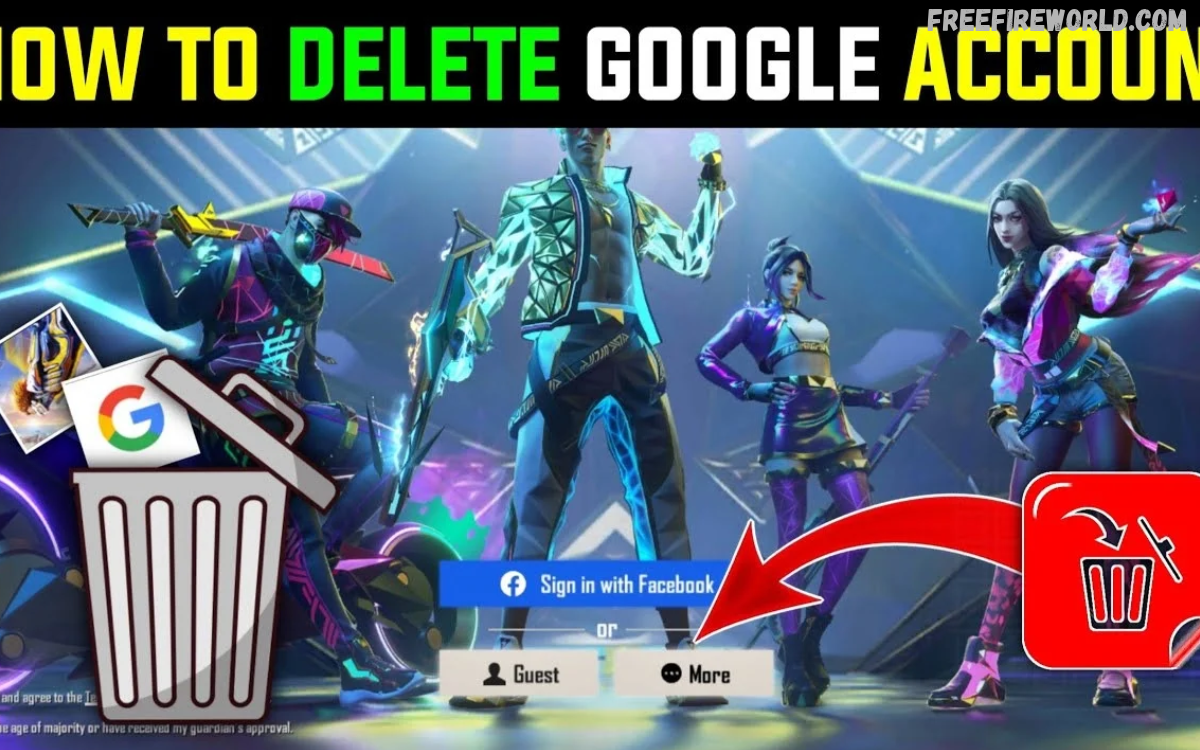
Many Free Fire players connect their game accounts with Gmail to save progress and access their profiles. Before deleting a Google account, understand how this action may affect Free Fire login access, game progress, and account recovery.
This guide explains Gmail Delete Kaise Kare for Linked Free Fire Accounts, including deleting your Google account, removing app access, changing login methods, and protecting your game data. Following the correct steps can help prevent unexpected problems with your Free Fire account.
What Does Gmail Delete Mean for Linked Free Fire Accounts?
Deleting Gmail can mean two different things: removing the Gmail app from your phone or permanently deleting your Google account. Removing the app does not delete your Google account, emails, or linked Free Fire login details.
Permanently deleting a Google account is a much bigger decision because it can affect connected services. If Free Fire uses your Google account for authentication, losing access may prevent you from signing in normally.
Can You Delete Gmail Without Losing Your Free Fire Account?
Yes, you may be able to remove the Gmail app or stop using a particular email address without losing your Free Fire account. However, permanently deleting the Google account connected to Free Fire can create login and recovery problems.
Before making any changes, check which login method your Free Fire account uses. If your game profile depends on Google sign-in, review the available account-management options and confirm whether another supported method is available before deleting anything.
Difference Between Removing Gmail and Deleting a Google Account
Removing Gmail from a phone usually means uninstalling or disabling the application, signing out where supported, or removing an account from the device. These actions do not necessarily delete the Google account itself or remove the connection between Google and Free Fire.
Deleting a Google account permanently removes access to the associated Google services and data, subject to Google’s recovery policies. If that account authenticates your Free Fire profile, deleting it without preparation could make it harder to access the game.
How to Check Which Gmail Is Linked to Free Fire
Before deleting or changing an email account, identify the Google account currently used to access Free Fire. Open the game and review the account or profile settings to understand the available login and account-management options.
You can also check which Google accounts are signed in on your device. Make sure you identify the correct account rather than relying on an email address you think might be connected to the game.
How to Remove Gmail Access From Your Phone
If your goal is simply to stop using a particular Gmail account on your Android phone, you usually do not need to delete the Google account permanently. Removing it from the device can stop that account from syncing emails and other Google information on that phone.
Open Android Settings, find Passwords and accounts, Accounts, or a similarly named option, and select the relevant Google account. Choose Remove account and follow the instructions, remembering that this may affect other Google services on the device but does not itself guarantee that Free Fire will stop using that account as its login method.
How to Delete a Google Account Permanently
If you want to permanently delete your Google account, first review the services and information connected to it. Download any important data and confirm that you understand the possible effects on Gmail, Google Drive, Google Photos, and other services.
Open your Google Account settings, select Data and privacy, and look for More options or Delete your Google Account. Follow Google’s verification and confirmation steps only after checking that you will not need the account to access Free Fire or recover other important accounts.
What Happens to Free Fire After Gmail Deletion?
The outcome depends on how Free Fire is connected to your Google account and the game’s current account-management rules. Deleting a Google account doesn’t necessarily delete your Free Fire profile immediately, but it can remove a key way to authenticate it.
You may lose the ability to sign in through the deleted Google account or face difficulties recovering your game profile. Don’t assume your game progress, purchases, and other account information are safe or recoverable without confirmation from official Free Fire support.
How to Protect Your Free Fire Account Before Deleting Gmail
Protecting your game account should be your first priority before changing any Google settings. Check the official Free Fire account settings and help resources to see whether your account supports changing or adding a login method.
Keep your player ID, account details, and relevant purchase receipts in a safe place. Never share passwords, verification codes, or recovery information with strangers who promise to transfer, unlink, or recover your account.
How to Unlink a Google Account From Free Fire
Unlinking a Google account from Free Fire is different from deleting Gmail or removing a Google account from your phone. Unlinking availability depends on the game version, account type, region, and current Garena policies.
Open Free Fire and inspect its account settings for official linked-account options. If no supported unlinking feature appears, contact Garena support through an official channel and ask whether your account is eligible for a login-method change before taking further action.
Read Also: Platinum Free Fire Character, Skins, and Advantages in 2026
Can You Change the Gmail Linked to Free Fire?
Changing the Gmail address associated with a Google account is not always the same as changing the login method used by Free Fire. The game may identify your profile through the original Google authentication connection rather than simply relying on an editable email address.
Check the official account-management options for your specific Free Fire account. Do not assume that changing a Google email address, creating a new Gmail account, or signing into another Google profile will automatically transfer your game progress.
Common Mistakes to Avoid When Deleting Gmail
One common mistake is permanently deleting a Google account before checking whether Free Fire depends on it for login. Another is assuming that uninstalling Gmail, removing an account from Android, and unlinking Google from a game are identical actions.
Avoid using unofficial websites or third-party tools that request your login credentials to remove account links. These services can put your account security at risk, and some may be scams designed to steal game profiles or personal information.
How to Recover Access if Gmail Was Already Deleted
If you have already deleted the Google account connected to Free Fire, first check whether Google still allows you to recover it. Recovery may be possible for a limited period, but success is not guaranteed and depends on Google’s current policies and account status.
If you cannot recover the Google account, contact official Garena support and explain the situation. Provide the requested ownership information, such as your player ID and relevant purchase records, but never send passwords or verification codes to anyone claiming to be a support agent.
Frequently Asked Questions
Does deleting Gmail delete my Free Fire account?
Not necessarily. Deleting a Google account may affect your ability to sign in to Free Fire, but the game profile may remain stored separately. Contact official Garena support to confirm the options available for your account.
Can I unlink Gmail without deleting my Google account?
That depends on the unlinking features supported by your Free Fire account. Check the game’s official settings or contact Garena support before changing your Google account.
Will I lose my Free Fire diamonds after deleting Gmail?
Do not assume your diamonds, purchases, or progress will remain accessible if you lose your login method. Confirm your account recovery options with Garena before deleting the Google account connected to your profile.
Can I use another Gmail account for Free Fire?
A different Google account does not automatically inherit the original Free Fire profile. Use only the account-linking or transfer methods officially supported for your game account.
Is removing Gmail from Android the same as deleting Gmail permanently?
No. Removing a Google account from a phone generally disconnects it from that device, while permanent deletion removes the Google account itself and affects its associated services.
What should I do before deleting Gmail linked to Free Fire?
Check the linked login method, review official unlinking options, save relevant account details, and confirm recovery procedures with Garena. Delete the Google account only when you understand the consequences and no longer need it for authentication.
Conclusion
Understanding Gmail Delete Kaise Kare: Linked Free Fire Accounts helps players make safer decisions about Google accounts and game access. Removing Gmail from a device differs from permanently deleting a Google account, and neither should be confused with officially unlinking a game profile.
Before deleting a Google account, check your Free Fire login method and confirm the available recovery or unlinking options through official Garena support. Taking these precautions can help protect your game progress, purchases, and account access while you manage your Google services.
