

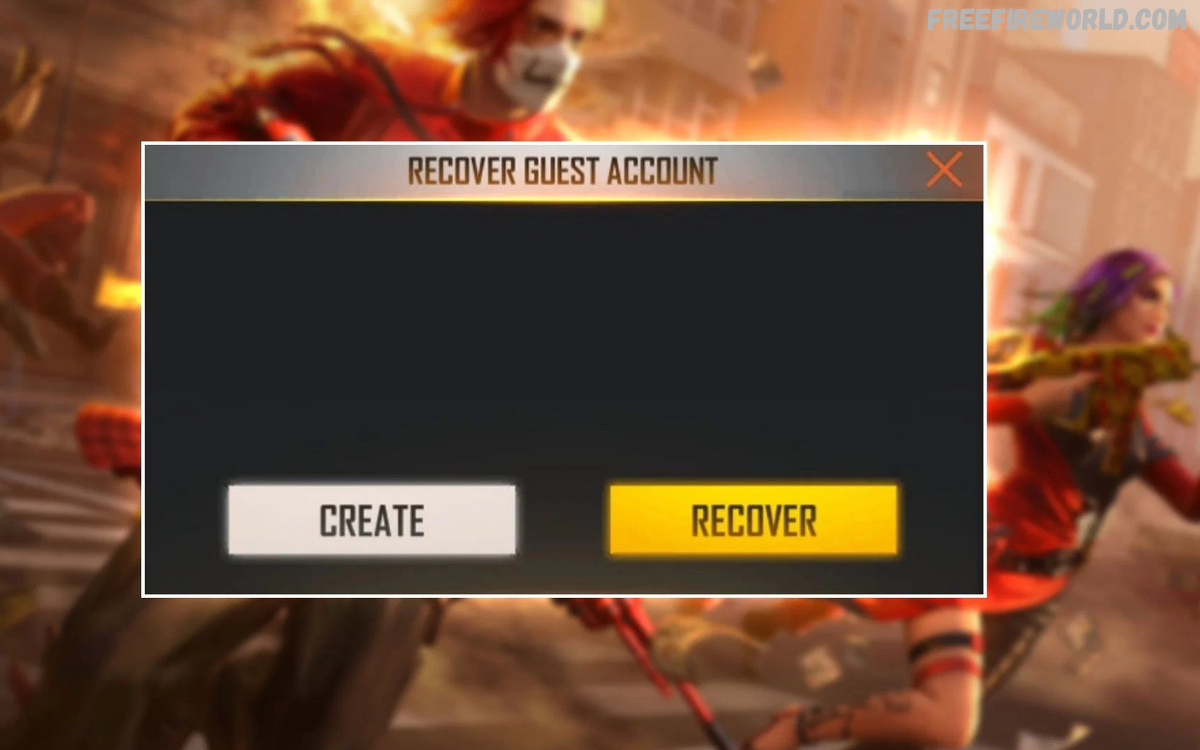
Free Fire Guest Account Recovery matters for players who lose access to their game progress after changing phones, reinstalling the game, clearing app data, or running into technical problems.
Understanding how guest accounts work helps players make better decisions when protecting their characters, items, achievements, and game settings.
What Is a Free Fire Guest Account?
A Free Fire guest account is a game profile created without connecting it to a supported third-party login service. Players can enter the game quickly, choose a name, customize their profile, and begin playing without completing a separate account-linking process.
Unlike a properly linked account, a guest profile may depend on locally stored game information. If that information is deleted, the game may no longer recognize the original profile, making Free Fire Guest Account Recovery more difficult or even impossible through ordinary login options.
Why Free Fire Guest Accounts Get Lost
Players can lose access to guest accounts for several reasons, including uninstalling the game, clearing application storage, resetting a phone, changing devices, or experiencing software problems. These actions may remove the local information needed to identify the original profile.
Other situations involve accidental logouts, game updates, device repairs, or switching between different installations. However, not every login problem means an account has been permanently deleted, so players should investigate carefully before making major changes to their devices.
Can You Recover a Lost Free Fire Guest Account?
According to Garena’s official support guidance, guest account data is stored on the device rather than on Garena’s servers. If the device is lost or the required game data is deleted, Garena states that the original guest account cannot be recovered through its normal recovery process.
However, some situations warrant a closer look before you give up. If the original phone still contains the game data, avoid deleting the app, clearing storage, or resetting the device until youhave confirmed whether the existing profile is still accessible.
Check Your Original Device First
The original device is the best place to start when investigating Free Fire Guest Account Recovery. If you previously played using a guest profile, check whether the game is still installed and whether the same profile appears when you open it.
Don’t uninstall the game or clear its storage right away to fix a login issue. These actions may remove the remaining local data associated with your guest profile, reducing the chance that you can continue your existing game progress.
Steps to Check Whether Your Guest Account Still Exists
Start by opening Free Fire on the original device you used before losing access. Look closely at the login screen to see whether the game offers access to your previous session or shows an existing profile instead of asking you to start over.
If your original profile appears, check your player name, UID, level, and other familiar details. Don’t assume a similar nickname means it’s the same account, because usernames alone can’t prove ownership or guarantee the correct profile loaded.
Free Fire Guest Account Recovery After Reinstalling the Game
Reinstalling Free Fire can remove locally stored information associated with an unlinked guest account. If you reinstalled the game and discovered a new profile, the original guest data may no longer be available on your device.
Garena explains that deleted guest account data cannot be recovered through its ordinary account recovery process. Reinstalling the game again, repeatedly changing login methods, or creating additional profiles will not restore data that no longer exists.
Free Fire Guest Account Recovery After Changing Phones
Changing phones creates a significant risk for players using guest accounts because guest progress is not automatically transferred between devices. Installing Free Fire on a replacement phone does not recreate the profile saved on the previous device.
If your old phone remains available, check whether your guest account still opens there. If it does, follow the available in-game account-binding instructions before moving to the replacement phone, provided the account is still accessible and the binding option is available.
Free Fire Guest Account Recovery After Clearing App Data
Clearing app data removes locally stored information and settings associated with an application. For an unlinked Free Fire guest profile, this can also remove the game information needed to access the previous account.
If you have already cleared the data, reopening the game may create a fresh profile instead of restoring your earlier progress. Check whether you had linked the original account to a supported platform before concluding that your game account is permanently inaccessible.
Free Fire Guest Account Recovery After a Factory Reset
A factory reset removes user data from a phone, including application data stored locally. If your Free Fire account was never linked to a supported platform, resetting the device may leave you without the information needed to reopen that profile.
A factory reset does not automatically delete a separately linked game account stored through a supported login platform. If you previously linked your account, try signing in with the original platform credentials rather than selecting the guest login option.
Can Garena Support Restore a Guest Account?
Garena provides official customer support for various account-related problems, but its published guidance specifically states that lost guest accounts cannot be restored when the device or game data is lost. Support cannot retrieve information that was never stored on its servers.
You can still consult the official support website if you have another identifiable issue, such as a login error affecting a linked account. Explain your situation accurately and provide requested details through official channels, without expecting support to recover deleted guest data.
For Pakistan, visit the official regional support website: Garena Free Fire Pakistan Support.
How to Identify Your Free Fire Player UID
A player UID is a numerical identifier associated with a Free Fire account. If your guest profile is still accessible on the original device, open your player profile and look for the UID displayed with your account information.
Save this number somewhere secure for future reference. A UID can help you identify the correct profile when discussing an account-related problem, but it does not independently recover a lost guest account or replace the original local game data.
Can Your Free Fire Guest Account Be Recovered Using a UID?
Many players search for Free Fire Guest Account Recovery using a UID because they remember their player number after losing access. Although the UID helps identify a profile, knowing it does not recreate the local information required to open an unlinked guest account.
Be cautious of websites or individuals promising instant account restoration after you submit your UID. Do not share passwords, verification codes, or sensitive account details with strangers, and use Garena’s official support information when checking whether a recovery option applies to your situation.
Free Fire Guest Account Recovery Through Facebook or Google
A Facebook or Google login can help you access a Free Fire account if the original profile was successfully linked to that platform. However, simply signing in with a new or unrelated account will not automatically restore an unlinked guest profile.
Think carefully about which login method you used when you originally played. If the account was linked, select the same supported platform and use the correct credentials; if it was never linked, these login methods cannot independently retrieve deleted guest data.
Recovering a Linked Account Instead of a Guest Account
Sometimes, players describe an account as a guest account even though they previously connected it to a platform. If you remember linking Facebook, Google, Apple, or another supported service, investigate that login method before assuming the account was never protected.
Use the platform account that was originally connected to your Free Fire profile. If you cannot access that platform account, follow its official account recovery process or check Garena’s guidance for accounts with a previously registered recovery email.
Free Fire Account Recovery Using a Recovery Email
Garena offers a recovery-email feature for eligible linked game accounts. When configured correctly, this feature can help players regain access if they lose access to the third-party platform connected to their game profile.
This option is different from recovering deleted guest data. A recovery email must have been registered with the game account beforehand, so it cannot be assumed to work for a guest profile that was never linked or protected.
Read Also: How to Get Free Rewards in Free Fire
Free Fire Guest Account Recovery on Free Fire MAX
Free Fire and Free Fire MAX are separate game clients, and players should not assume that an unlinked guest profile will automatically transfer between them. Garena warns that guest accounts are not automatically shared across different devices or between Free Fire and Free Fire MAX.
If you played using a guest profile in one version, check whether the original profile remains available in that same version on your original device. Before switching clients, protect any accessible account through the official binding process supported by your game version.
How to Bind a Free Fire Guest Account
Binding connects an accessible guest profile to a supported third-party login platform. This process is designed to protect account access and reduce the risk of losing progress when changing devices or reinstalling the game.
Follow Garena’s official instructions:
- Open Free Fire on the device containing your existing guest profile.
- Open the game settings and locate the account section.
- Select the available account-binding option.
- Choose a supported platform that you control.
- Follow the on-screen instructions to complete the connection.
- Confirm that the account is properly linked before changing devices.
The exact menu labels and available platforms may vary by game version or region. Consult the official Garena guide to binding a guest account for the applicable instructions.
Common Mistakes During Free Fire Guest Account Recovery
Repeatedly reinstalling the game, clearing app storage, or switching between unrelated login platforms can complicate troubleshooting. These actions do not guarantee account restoration and may remove the remaining local information needed to access an unlinked guest profile.
Another mistake is trusting unofficial recovery services that promise guaranteed results. Avoid sharing your account credentials or paying anyone who claims they can retrieve deleted guest data through secret methods. Instead, verify recovery information through Garena’s official support resources.
How to Protect Your Free Fire Account From Future Loss
The most effective protection is to bind your guest profile to a supported platform while you still have access. This creates a recognized login method and helps protect your progress when you switch devices or reinstall the game.
Garena also recommends protecting linked platform accounts with strong passwords, enabling two-step verification where available, and avoiding shared credentials. Keep your recovery information secure and use the official game client to reduce account security risks.
Free Fire Guest Account Recovery Without a Password
An unlinked guest account does not necessarily use a separate password in the same way as a platform-linked account. Access generally depends on the guest profile and its locally stored information, rather than a conventional username-and-password recovery process.
If you previously linked your profile to a supported service, recover access through that service or use an eligible recovery-email option. If the guest data has been deleted and no account binding existed, there is no official password-reset procedure that can recreate the missing profile.
Free Fire Guest Account Recovery Without an Old Phone
Recovering an unlinked guest account without the original phone is generally not possible when the only copy of the game data was stored on that device. Installing Free Fire on another phone does not automatically retrieve the old profile from Garena’s servers.
If the account was linked before you lost the phone, use the original platform login on your replacement device. If you cannot remember whether the account was linked, review your available login options and previous account records without sharing private credentials with anyone.
What to Do If Free Fire Opens a New Account
A new profile appearing after you open Free Fire may indicate that the game is using a different login method or that the original guest data is unavailable. First, check whether you selected the correct game client and login option.
If the original account was linked to a platform, sign out of the incorrect profile when appropriate and try the original login method. Avoid binding a new profile to the wrong platform account, as this may complicate account management instead of restoring your previous progress.
Frequently Asked Questions
Can I recover my lost Free Fire guest account?
Recovery may be possible if your original game data still exists on your device. If the guest data has been permanently deleted, Garena’s normal recovery process cannot restore it.
Can I recover my Free Fire guest account using a UID?
A UID helps identify your player profile, but it cannot restore deleted guest account data by itself.
How can I recover my Free Fire guest account after changing phones?
If your account was linked to a supported platform, sign in using the original login method. Unlinked guest progress does not automatically transfer to a new device.
Can Garena support recover my deleted guest account?
Garena states that lost guest accounts cannot be recovered when the original device or required game data is lost.
How do I protect my Free Fire guest account?
Bind your accessible guest account to a supported login platform before changing devices or reinstalling the game.
Can I recover my Free Fire guest account after clearing app data?
Clearing app data may permanently remove locally stored guest information. Check whether your account was previously linked to a supported platform.
Can I recover my guest account without my old phone?
If your account was linked, try the original login method on your new phone. If it was unlinked and its local data is lost, recovery is generally unavailable.
Can I use Facebook or Google to recover a guest account?
Only if the original Free Fire account was linked to the relevant supported platform. Logging in with a different account will not restore an unlinked guest profile.
Is Free Fire guest account recovery possible after a factory reset?
A factory reset removes local data. A previously linked account may remain accessible through its original login method, but deleted guest data cannot normally be recovered.
How can I avoid losing my Free Fire account again?
Link your account to a supported platform, secure your login credentials, and keep your recovery information updated.
Conclusion
Free Fire Guest Account Recovery depends mainly on whether your original game data still exists or whether your profile was previously connected to a supported login platform. Checking the original device and identifying the correct login method are sensible first steps when investigating a missing account.
If your guest data has been permanently deleted, Garena’s published guidance indicates that the original profile cannot be restored through its normal recovery process. Protect your next accessible profile by linking it to a supported platform, securing your credentials, and keeping recovery information up to date.
