

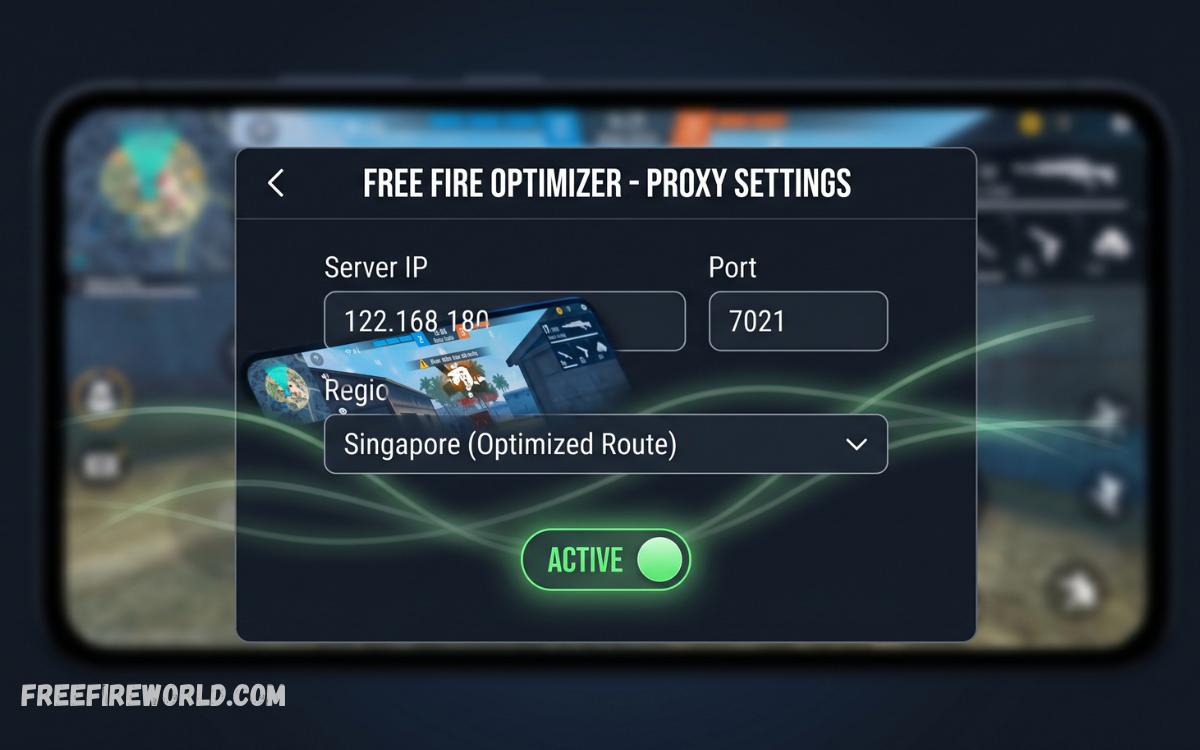
A Free Fire proxy server acts as an intermediary between your gaming device and the Free Fire game servers. Instead of connecting directly, your game traffic passes through the proxy before reaching its destination, which can change your connection route.
For players with unstable connections, high latency, or routing issues, a proxy server may offer an alternative connection path. However, the actual improvement depends on the proxy location, server quality, network conditions, and distance from the game server.
How a Free Fire Proxy Server Works
When you connect to Free Fire through a proxy, your device sends network requests to the proxy server. The proxy then forwards those requests to the appropriate game server and returns the response to your device.
This process can sometimes provide a more efficient route when the normal connection path is congested or poorly optimized. A reliable proxy may therefore help create a smoother connection, although it cannot guarantee lower ping in every situation.
Benefits of Using a Free Fire Proxy Server
One potential advantage of a Free Fire Proxy Server is improved connection stability. If your internet provider uses a routing path that experiences congestion, an alternative route through a well-positioned proxy can sometimes reduce connection interruptions.
A proxy can also provide access to different network routes and server locations. For players who regularly experience inconsistent connectivity, testing a reputable proxy may help identify whether routing is contributing to their gaming problems.
Can a Proxy Server Reduce Free Fire Ping?
Ping is the time it takes for data to travel between your device and the game server and return. Lower ping generally means faster communication between your game client and the server, which matters most during competitive matches.
A proxy does not automatically reduce ping. If the proxy is closer to the game server and offers a better route, latency may improve, but a distant or overloaded proxy can increase ping and add delay.
Free Fire Proxy Server and Lag Reduction
Lag can occur because of network congestion, unstable Wi-Fi, packet loss, high latency, device performance problems, or issues on the game server. A proxy can only address certain network-related causes and cannot solve every type of lag.
If inefficient routing causes lag, a quality proxy could provide a more consistent connection. Players should test connection performance before and after using the proxy to determine whether it actually improves their gameplay.
Choosing a Reliable Free Fire Proxy Server
Proxy quality matters a lot for gaming. A server with high bandwidth, low congestion, good uptime, and a suitable geographic location is generally more useful than a free proxy with thousands of users sharing limited resources.
Players should also consider security and privacy when selecting a proxy. Unknown or unreliable services can create unnecessary risks, so understand how the service handles network traffic and user information before using it.
Free Proxy Servers vs Premium Proxy Servers
Free proxy servers can be attractive because they do not require payment, but they often have limitations. High user demand, restricted bandwidth, unpredictable uptime, and distant server locations can result in inconsistent gaming performance.
Premium proxy services generally offer better infrastructure and more server options, although paying for a service does not guarantee better Free Fire performance. The most important factors remain routing quality, server location, latency, reliability, and network capacity.
How Server Location Affects Gaming Performance
The physical distance between your device, proxy server, and Free Fire server can influence latency. A distant proxy may force data to travel through extra network routes, increasing communication time.
Choosing a proxy location that provides a practical route toward the relevant game server can therefore be important. Players should test nearby, strategically positioned locations rather than assuming a particular country will always provide the lowest ping.
Free Fire Proxy Server for Connection Stability
Connection stability is often more important than achieving the lowest possible ping. A connection that fluctuates between low and extremely high latency can make gameplay unpredictable, even when its average ping appears acceptable.
A properly configured proxy may help when instability comes from network routing. However, if the underlying problem is weak Wi-Fi, mobile network congestion, or an unreliable internet connection, changing the proxy may provide little improvement.
Read Also: Free Fire Anniversary Event: Latest Updates, Rewards, and Celebrations
How to Test Proxy Performance in Free Fire
Players should compare their normal connection with the proxy connection under similar conditions. Check ping, connection consistency, packet loss, loading behavior, and overall responsiveness during actual gameplay rather than relying only on a speed test.
It is also useful to test different proxy locations and connection times. Network congestion changes throughout the day, so a proxy that performs well at one time may perform differently during busy periods.
Proxy Server Settings for Better Gaming
Correct configuration is essential when using a proxy for gaming. Incorrect settings can prevent the game from connecting properly, introduce unnecessary delays, or cause other applications on the device to behave unexpectedly.
Players should follow the configuration instructions provided by their chosen service and avoid changing advanced network settings without understanding their purpose. Keeping the configuration simple can make troubleshooting easier when connection problems occur.
Does a Proxy Improve Free Fire Gameplay?
A proxy can potentially improve gameplay when the main problem is poor network routing. It may provide an alternative route that produces more consistent latency or fewer connection interruptions.
However, a proxy cannot improve frame rate, graphics quality, device performance, or battery efficiency on its own. Gameplay performance depends on both network conditions and the hardware and software running the game.
Free Fire Proxy Server and Network Security
Always consider security before routing gaming traffic through a third-party server. The proxy provider may be able to process or observe certain network information, depending on the technology and configuration being used.
Players should avoid unknown services that make unrealistic promises or request unnecessary personal information. A trustworthy provider should clearly explain its service, security practices, and data policies.
Common Problems With Free Fire Proxy Servers
One common problem is increased latency. If the proxy is overloaded or geographically distant, traffic may take a longer route and result in higher ping than a direct connection.
Another issue is connection instability. Free proxies can disappear, become overloaded, or change performance frequently. If a proxy repeatedly causes disconnects, switching back to a direct connection may work better.
Proxy Server and Mobile Gaming Networks
Mobile players often experience changing network conditions because cellular networks can become congested depending on location and time. A proxy may sometimes provide a different route, but it cannot eliminate congestion between the mobile device and cellular network.
For mobile gaming, players should first ensure that their cellular signal is strong and stable. Closing unnecessary background apps and using a reliable network can also help before adding a proxy to the connection.
Tips for a Better Free Fire Gaming Experience
Players should begin by optimizing their regular internet connection before relying on a proxy. Using a stable Wi-Fi connection, reducing background downloads, keeping network equipment updated, and selecting appropriate game settings can improve overall performance.
If connection problems continue, you can test a proxy as an additional option. Compare real gameplay performance carefully and keep the setup that produces the most consistent results rather than simply choosing the proxy with the lowest advertised latency.
Is a Free Fire Proxy Server Always Necessary?
A proxy is not necessary for every Free Fire player. If your direct connection already provides stable ping, low packet loss, and reliable gameplay, adding another server between your device and the game server may offer no advantage.
Proxy servers matter more when players experience routing-related connectivity problems. Testing the direct connection first helps determine whether a proxy is actually addressing a problem.
Frequently Asked Questions
What Is a Free Fire Proxy Server?
A Free Fire proxy server is an intermediary server that forwards network traffic between your device and the game server. It can provide an alternative network route that may affect latency and connection stability.
Can a Free Fire Proxy Server Reduce Ping?
A proxy can sometimes reduce ping by providing a more efficient route to the game server. However, it can also increase latency when the proxy is distant, overloaded, or poorly connected.
Is a Free Proxy Good for Free Fire?
Free proxies can work, but their performance is often unpredictable. Limited bandwidth, high traffic, unstable servers, and poor routing can make them less suitable for consistent gaming.
Does a Proxy Remove Free Fire Lag?
A proxy may help with lag caused by poor network routing, but it cannot fix every type of lag. Device performance, Wi-Fi quality, packet loss, and game-server conditions can also cause gameplay problems.
Which Proxy Location Is Best for Free Fire?
There is no universal best location. The most suitable proxy is generally one that provides a reliable and efficient route between your network and the relevant Free Fire server.
Can a Proxy Improve Free Fire Connection Stability?
A proxy may improve stability when network routing causes connection problems. Results depend on the proxy’s infrastructure, location, bandwidth, and current traffic.
Does a Proxy Increase Free Fire Speed?
A proxy does not increase your internet speed. It can potentially improve the route used by gaming traffic, which may make the connection feel more responsive under certain network conditions.
Are Free Fire Proxy Servers Safe?
Safety depends on the provider and its practices. Players should avoid unknown proxy services and consider how the provider handles network traffic, privacy, and security.
Should I Use a Proxy on Mobile Data?
You can test a proxy on mobile data, but it will not eliminate cellular congestion or weak-signal issues. Compare direct and proxy connections to determine which provides more consistent gameplay.
How Can I Know if a Proxy Is Improving Free Fire?
Compare ping, packet loss, connection stability, loading behavior, and actual gameplay with and without the proxy. Testing under similar network conditions provides a more useful comparison.
Conclusion
A Free Fire proxy server can help players dealing with routing problems, inconsistent latency, or connection instability. By providing an alternative network path, a suitable proxy may improve the consistency of gaming traffic in certain situations.
However, a proxy is not a guaranteed solution for lag or high ping. Server location, network quality, proxy capacity, and game-server conditions all affect performance.
