
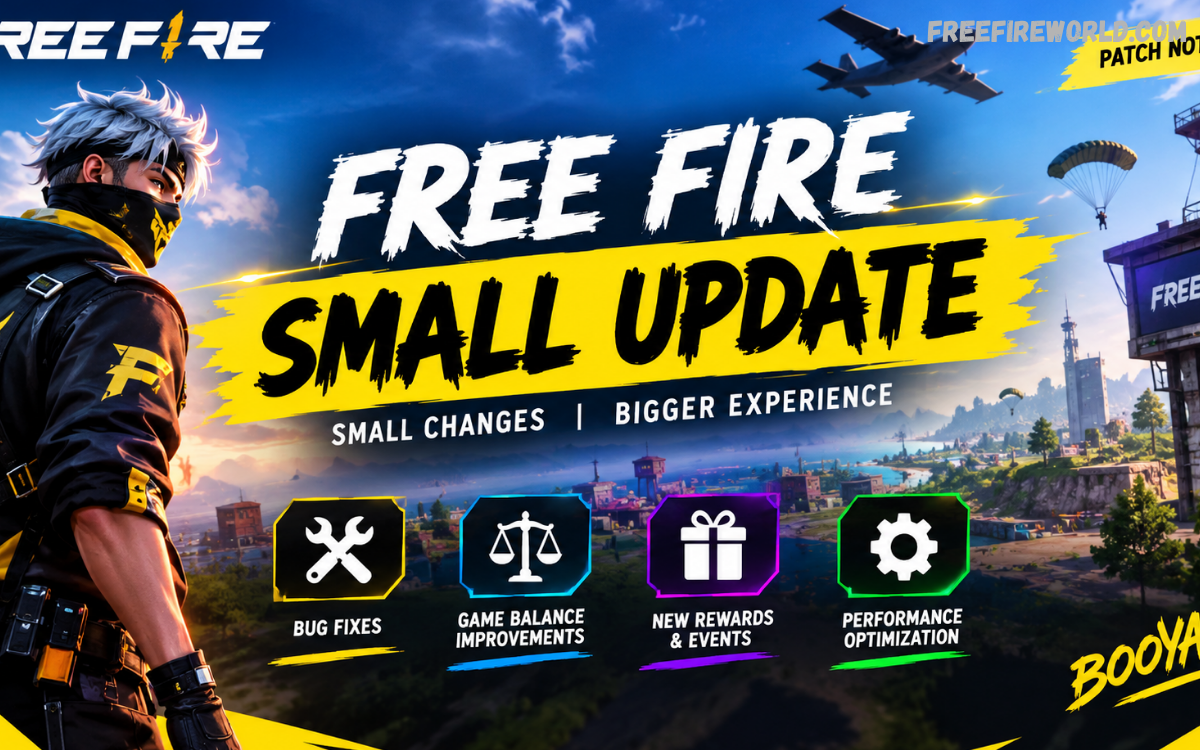
Free Fire regularly receives updates that improve gameplay, fix technical problems, introduce limited-time content, and prepare the game for upcoming events. While major updates usually attract the most attention, smaller patches can be equally important for players. A Free Fire small updater allows developers to deliver selected improvements without requiring players to download a complete game package again.
A Free Fire small update can include bug fixes, balance adjustments, event changes, interface improvements, server-side improvements, performance optimizations, and other minor changes. These updates are designed to keep the game stable while allowing Garena to make important improvements between major versions.
What Is a Free Fire Small Updater?
A Free Fire small updater is a lightweight update process used to deliver specific game files or changes to the existing installation. Instead of replacing the entire game, the updater may download only the files required for the latest improvements. This approach can reduce download requirements and make updates faster for players with limited internet bandwidth.
Small updates are common in online games because developers continuously monitor gameplay, servers, bugs, and player feedback. When an issue needs attention before the next major update, a smaller patch provides a practical solution. Players may notice a download notification, a short maintenance period, or new content appearing after restarting the game.
What Is a Free Fire Small Update?
A Free Fire small update is a minor patch released between larger game updates. It normally focuses on specific improvements instead of introducing a complete collection of new gameplay systems. The update size can vary depending on the changes included, so the word “small” does not always mean the download will have exactly the same size for every player.
Garena can use small updates to improve stability, correct unexpected bugs, adjust selected features, or prepare the game for upcoming content. Some changes may be immediately visible, while others can work in the background. This makes small updates an important part of maintaining a smooth Free Fire experience.
Why Does Free Fire Need Small Updates?
Free Fire is an online multiplayer game with a large player base, multiple devices, different network conditions, and constantly changing gameplay systems. Even after extensive testing, certain problems may appear when new content reaches millions of players. A small update gives developers an opportunity to respond without waiting for another major patch.
Small updates also help maintain game performance. If players experience crashes, interface problems, matchmaking issues, loading errors, or unexpected gameplay behavior, developers can address selected problems through targeted patches. This continuous update cycle helps keep the overall experience reliable.
Difference Between a Small Update and Major Update
A major Free Fire update usually introduces substantial changes to the game. These can include new gameplay mechanics, maps, characters, weapons, modes, interface designs, events, or other large features. Major updates may require larger downloads because many game resources need to be replaced or added.
A small update has a narrower purpose. It can focus on bug fixes, minor balance changes, event adjustments, technical improvements, or preparation for future content. Players should therefore avoid expecting every small patch to introduce a completely new feature or game mode.
How the Free Fire Small Updater Works
When an update becomes available, the game checks the installed version against the current version available from the official distribution platform or game servers. If additional files are required, the updater downloads the necessary data before allowing the game to continue normally.
The exact update process can differ depending on the device, operating system, region, game version, and distribution platform. Players should allow the game to complete its update process rather than interrupting downloads. A stable internet connection can also reduce the possibility of incomplete files or repeated downloads.
Free Fire Small Update Features
One of the most common purposes of a small update is bug fixing. Developers may identify problems affecting menus, controls, graphics, matchmaking, missions, rewards, or other game systems. A targeted patch can correct these issues without waiting for a major version release.
Another common purpose involves performance improvements. Developers can optimize selected resources, reduce unnecessary processing, improve loading behavior, or resolve compatibility problems affecting certain devices. These improvements may not always appear in promotional announcements, but they can make a noticeable difference during regular gameplay.
Bug Fixes in Free Fire Small Updates
Bugs can appear in almost any large online game. A character ability may behave incorrectly, an event interface may display incorrect information, or a menu may stop responding under specific conditions. Small patches give developers a way to correct these issues quickly.
Bug fixes are especially valuable when a problem affects many players. Instead of requiring everyone to wait for a large seasonal update, developers can release a smaller correction. This approach can improve reliability while keeping the main development schedule on track.
Gameplay Balance Changes
Free Fire gameplay depends on balance between characters, weapons, abilities, items, and strategies. If one feature becomes significantly stronger or weaker than intended, developers may adjust it through an update.
A small update can include limited balance changes without redesigning the entire game. Damage values, ability behavior, cooldowns, weapon performance, or other gameplay elements can potentially be adjusted when developers determine that changes are necessary. Balance updates help maintain competitive variety and prevent a single strategy from dominating every match.
Performance Improvements
Performance is important for mobile gaming because players use devices with different processors, memory capacities, screen resolutions, and operating systems. A feature that works perfectly on one device may create problems on another.
A Free Fire small update can include technical optimizations intended to improve stability across supported devices. Players may experience faster loading, fewer crashes, improved menu responsiveness, or better overall stability after an update. Performance results can still vary depending on device specifications and network conditions.
Free Fire Small Updater and Download Size
The main advantage of a small updater is that players may not need to download the complete game package every time a limited change is released. Only the required resources may be downloaded, depending on how the update has been distributed.
However, players should not assume that every update will have a fixed size. Update requirements can change according to the files being modified, the installed version, the device, and the specific game build. The safest approach is to check the update information displayed by the official game or app store.
Does Every Player Receive the Same Small Update?
Not necessarily. Free Fire operates across different regions, devices, platforms, and game versions. Some content can be released gradually or tested with selected players before wider availability.
Regional differences can also affect events and features. A small update available for one region may not appear at exactly the same time for another. Players should therefore avoid assuming that another player’s update schedule will always match their own.
Free Fire Small Update on Android
Android players generally receive Free Fire updates through the official app distribution system used on their device. When an update becomes available, the platform may display an update option instead of the normal launch option.
Players should use the official distribution channel associated with their device. Downloading unofficial modified packages can create security and compatibility risks. An official update provides the best chance of receiving the correct files for the installed game version.
Free Fire Small Update on iPhone
iPhone and iPad users receive Free Fire updates through Apple’s official App Store. The update process may differ slightly from Android because the operating systems use different distribution systems.
Players should check the official App Store listing when an update notification appears. If the latest version does not immediately appear, availability may depend on regional rollout or platform synchronization. Restarting the store or checking again later can sometimes reveal a newly available update.
Why Free Fire Small Updates Can Be Important
A small patch may appear less exciting than a major update, but technical improvements can have a direct effect on daily gameplay. Removing a persistent bug or improving stability can be more useful than adding another cosmetic feature.
Small updates also demonstrate how live-service games are maintained between major releases. Developers can react to technical problems and player feedback throughout the year instead of making changes only during major seasonal updates.
Free Fire Small Update and Events
Free Fire frequently runs temporary events, challenges, reward systems, and promotional activities. Some small updates may support these events by adding required resources or changing event-related files.
Players may therefore notice new event content after completing an update even when the patch itself does not introduce a major gameplay feature. Event availability can depend on region, account eligibility, schedule, and the official game version.
Small Updates and New Features
Although major features are usually associated with larger patches, a small update can still prepare the game for upcoming content. Developers may distribute supporting files before a feature becomes fully available.
This can reduce the amount of data required when the feature officially launches. Players should remember that downloaded resources do not always mean that the related feature is immediately accessible. Activation can depend on the official release schedule.
How to Update Free Fire Safely
The safest way to update Free Fire is to use the official app distribution platform. Open the store associated with your device, locate the installed Free Fire application, and check whether an update option is available.
Before starting a larger download, make sure the device has sufficient storage and a reliable internet connection. Players should also avoid interrupting the update process. If the game requests additional resources after installation, allow the download to finish before entering a match.
Avoid Unofficial Free Fire Updater Files
Players may encounter websites offering modified update packages, unofficial launchers, or suspicious “small updater” files. These downloads can create unnecessary security and account risks.
An unofficial package may contain altered files, unwanted software, outdated resources, or incompatible game data. Players should rely on official distribution channels instead of installing unknown packages simply because they advertise a smaller download size.
Free Fire Small Update and Storage Space
A small update may require additional temporary storage during installation. The final amount of space used can differ from the size shown in the initial download notification.
Keeping some free storage on the device can help prevent installation problems. If storage is almost full, the update may fail even when the download itself appears relatively small. Removing unnecessary files or unused applications can create enough room for the update process.
Internet Connection During Small Updates
A stable connection is useful when downloading game files. Wi-Fi can be convenient for larger downloads, although mobile data may also work depending on the player’s data plan and device settings.
If an update repeatedly stops or restarts, checking the network connection is a sensible first step. Players can also restart the device or reopen the official app store if the update does not begin correctly.
What to Do When a Small Update Gets Stuck
An update that appears frozen can result from several causes, including network instability, insufficient storage, app-store problems, or temporary server traffic. Players should first check whether the device remains connected to the internet.
If the problem continues, restarting the device and checking available storage can help. Players should avoid deleting important game data without understanding the consequences. When an issue persists, official Free Fire support channels are the appropriate place to seek assistance.
Free Fire Small Update and Login Problems
After an update, some players may temporarily experience login or connection problems. These issues do not always mean that the installation is damaged. Server maintenance, traffic, regional rollout, or authentication services can affect access.
Players should check official announcements when widespread problems appear. Repeatedly reinstalling the game is usually unnecessary unless official troubleshooting instructions recommend it. Waiting for services to stabilize may resolve temporary access problems.
Read Also: Free Fire Major Update: Latest Features, Changes, Events, and What Players Need to Know
Small Updates and Game Stability
Game stability is one of the most important reasons developers release minor patches. A crash affecting a specific device model can reduce the quality of the experience even when the core gameplay remains functional.
Targeted fixes allow developers to address these problems while minimizing unnecessary changes. Players who previously experienced crashes or unusual behavior may notice improvements after installing the relevant patch.
Free Fire Small Update for Older Devices
Older devices can face additional challenges because they may have limited memory, older processors, or restricted storage. Developers continuously optimize games, but not every update will produce identical performance across all hardware.
Players using older devices should keep the operating system updated when possible, maintain adequate storage, close unnecessary background applications, and use supported game settings. Performance can also depend on temperature, battery condition, network quality, and other device factors.
Are Small Updates Necessary?
If an update is officially required by the game, players should install it before continuing. Some patches may be optional improvements, while others can become necessary because older versions are no longer supported.
Updating also ensures that the player is using the current game files. In an online multiplayer environment, version compatibility is important because clients and servers need to communicate using supported builds.
Free Fire Small Update and Security
Keeping software updated is an important part of maintaining a secure gaming environment. Official patches can include technical corrections that are not always visible to players.
Players should also protect their accounts by using official login methods and avoiding suspicious websites promising free rewards, unlimited currency, or special update files. Requests for account credentials should be treated with caution.
Common Misunderstandings About Small Updates
One common misunderstanding is that every small update contains free rewards. Updates and rewards are separate concepts. A patch can focus entirely on technical improvements without providing any new reward.
Another misconception is that a smaller download always means a minor change in importance. A small file can correct a serious bug, improve stability, or fix a problem affecting a large number of players. Download size does not necessarily indicate the importance of an update.
How to Check the Latest Free Fire Update
Players should check official Free Fire communication channels and the official app-store listing for reliable update information. These sources can provide information about version availability, maintenance, events, and other changes.
Third-party websites can sometimes publish useful explanations, but information should be verified before acting on it. This is particularly important when a website asks players to install an unknown APK, updater, launcher, or modified game file.
Free Fire Small Update for Competitive Players
Competitive players can benefit from paying attention to minor patches because even limited balance adjustments can change gameplay strategies. Weapon behavior, character abilities, or other mechanics may perform differently after an update.
Players who participate in ranked matches should understand the current game version before relying on older strategies. Practicing after an update can help identify gameplay differences and adjust decision-making accordingly.
Small Updates and Free Fire Community Feedback
Player feedback can help developers identify problems that may not appear during internal testing. Large communities produce a wide variety of devices, network conditions, and gameplay situations, making community reports valuable.
When players report problems, useful information includes the device model, operating system version, game version, and description of the issue. Avoid sharing account passwords or other private credentials when reporting technical problems.
Why Players Should Not Ignore Update Notifications
Ignoring an official update notification can eventually prevent access to certain game features or online services. Multiplayer games depend on compatible client versions, so outdated installations may eventually stop working correctly.
Installing updates through official channels helps ensure that the game contains the required files. Players should also read update notes when available because they can explain major changes that may affect gameplay.
Free Fire Small Updater: Best Practices
Players can follow several simple habits to make the update process easier. Keep sufficient storage available, maintain a stable internet connection, use the official application, and avoid interrupting the installation.
It is also useful to check the game version after an update. If the game opens normally and displays the expected version, the update has likely completed successfully. For persistent errors, official support should be preferred over random online fixes.
Frequently Asked Questions
What is a Free Fire small updater?
A Free Fire small updater is a process used to download and install selected game files or changes without necessarily replacing the complete game installation. It can deliver bug fixes, optimizations, event resources, and other minor improvements.
What does a Free Fire small update contain?
A small update can contain bug fixes, performance improvements, balance adjustments, interface changes, event resources, technical corrections, or preparation for upcoming content. The exact contents depend on the specific patch.
Is a Free Fire small update safe?
An official small update obtained through the legitimate app distribution platform is the safest option. Players should avoid unknown updater files, modified APKs, and unofficial packages.
Why is my Free Fire update larger than expected?
Update sizes can vary because different versions may require different files. Temporary installation data, modified resources, and the specific device or installed version can also influence storage requirements.
Can a small update improve gameplay?
Yes. Even when a patch does not add a major feature, bug fixes, performance improvements, and balance changes can improve the overall gameplay experience.
Do small updates add new characters?
Not necessarily. Characters and major gameplay features are generally associated with larger content releases, although smaller patches can prepare supporting files for upcoming content.
Can Free Fire work without updating?
Sometimes an older version may continue to open temporarily, but online gxvames can require supported versions to maintain compatibility. If an official update is required, players may need to install it before continuing.
Should I download a Free Fire small updater from another website?
No. Players should use the official game distribution channel. Unofficial updater files can be outdated, modified, incompatible, or unsafe.
Conclusion
The Free Fire small update plays an important role in maintaining the game between major releases. Instead of waiting for a large seasonal patch, developers can use smaller updates to address specific problems, improve performance, adjust gameplay elements, and prepare resources for upcoming content.
A Free Fire small update may not always receive the same attention as a major version release, but its impact can still be significant. For players, the best approach is simple: keep the official game version updated, maintain enough storage, use a reliable internet connection, and avoid unofficial update packages.
