
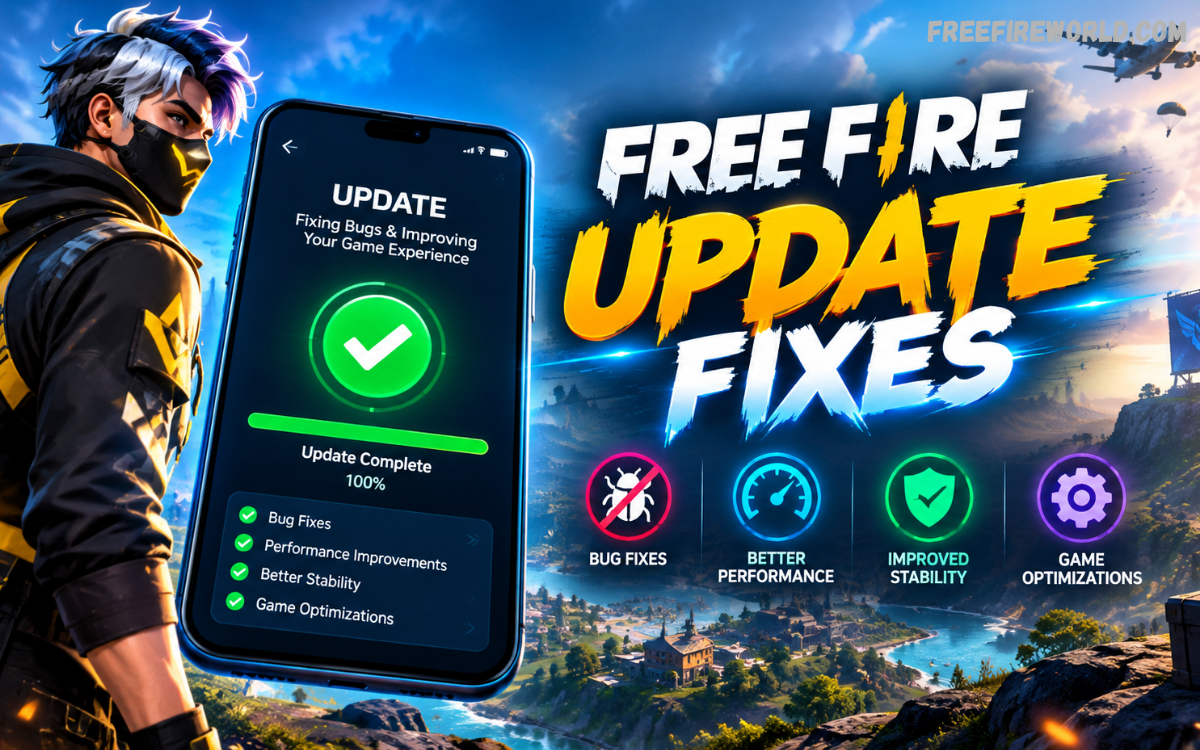
Free Fire continues to receive regular updates designed to improve gameplay quality, system performance, stability, and the overall player experience. Free Fire update fixes can address technical problems, interface issues, gameplay inconsistencies, connection problems, and performance limitations that affect matches.
Garena publishes official patch notes to explain major changes introduced through game updates. Recent updates have included system optimization, HUD improvements, frame-rate enhancements, interface refinements, gameplay adjustments, and other improvements designed to make Free Fire smoother and more reliable.
What Are Free Fire Update Fixes?
Free Fire update fixes are changes released by Garena to correct problems found in the game. These fixes can target crashes, visual glitches, control issues, matchmaking problems, interface errors, loading difficulties, sound problems, and other technical concerns that may affect gameplay.
Some fixes are included inside major OB updates, while smaller corrections can arrive through maintenance releases or server-side improvements. Garena’s official patch notes regularly document gameplay adjustments and system optimizations, giving players a clearer understanding of changes introduced with each release.
Why Are Free Fire Update Fixes Important?
Game fixes help maintain a consistent experience across different devices and network conditions. A problem affecting controls, menus, graphics, matchmaking, or performance can make normal gameplay frustrating, especially when the issue repeatedly appears during matches or while navigating the game.
Regular optimization also allows developers to improve existing features without completely changing the game structure. Recent Free Fire updates have introduced improvements to HUD customization, frame-rate performance, interface displays, voice reconnection indicators, and other systems, showing how updates can improve several areas simultaneously.
Common Problems Addressed by Free Fire Updates
One common category involves performance problems such as frame drops, stuttering, long loading times, unexpected crashes, and unstable graphics. Developers can optimize game systems and reduce unnecessary processing to improve performance across supported devices.
Another category involves gameplay or interface errors. Players may experience incorrect visual displays, delayed responses, missing information, or features that do not behave as intended. Patch notes can identify specific changes, while additional fixes may be included as developers continue monitoring player feedback.
Free Fire Performance Fixes
Performance fixes focus on making gameplay more stable and responsive. Improvements can include better frame-rate behavior, optimized visual effects, reduced processing requirements, improved loading performance, and refinements that help the game operate more consistently on supported hardware.
Garena has introduced performance-focused features in previous updates, including an Experimental Frame Rate Boost option in High FPS Mode. Such changes demonstrate the continuing focus on smoother gameplay and better responsiveness.
Free Fire Bug Fixes
Bugs can appear when a feature behaves differently from its intended design. These problems may affect menus, characters, events, maps, controls, visual effects, rewards, or other game systems. Developers investigate reported issues and apply corrections through future updates.
Not every bug receives an immediate public description. Some corrections can be bundled with larger updates, while others may be handled through backend changes. Players should therefore check official patch notes and announcements rather than relying only on unofficial claims about specific fixes.
Free Fire Update Fixes for Controls and HUD
Controls are one of the most important parts of a mobile game because players rely on precise touch input during fast matches. Updates can improve button behavior, HUD presentation, customization options, sensitivity controls, and other interface elements that influence how players interact with the game.
Garena has previously improved HUD sharing and introduced Smart Adjust functionality, allowing players to customize their interface more efficiently. Earlier patch notes also documented more detailed control and sensitivity settings, demonstrating how system updates can improve customization and usability.
Free Fire Update Fixes for Graphics
Graphics-related fixes can address visual glitches, inconsistent effects, interface rendering, animation problems, and other display issues. Developers may also optimize graphical elements so that new features work correctly across supported devices without unnecessarily reducing performance.
Recent Free Fire updates have included visual and display improvements alongside new features. For example, official patch notes have documented polished UI elements, optimized effect displays, improved visual presentation, and additional camera filters. These changes show that graphics updates can involve both appearance and technical performance.
Free Fire Update Fixes for Connectivity
Connection problems can create delays, failed requests, matchmaking difficulties, or temporary interruptions during online gameplay. Developers can improve communication between game systems and servers to reduce instability and make important online functions more reliable.
Connectivity improvements can also affect supporting systems such as voice communication and account services. Official patch notes have previously included improved voice reconnection status displays, helping players understand when the game is attempting to reconnect to a voice server.
Free Fire Update Fixes for Game Modes
Different Free Fire modes contain different rules, maps, mechanics, and interfaces, so a problem may affect one mode without impacting another. Updates can therefore include mode-specific corrections designed to improve consistency and prevent unintended gameplay behavior.
Patch notes frequently separate Battle Royale, Clash Squad, system, rank, and other categories so players can understand where changes apply. For example, official updates have included adjustments to match systems, custom rooms, rank features, presets, and gameplay mechanics.
Free Fire Update Fixes and Gameplay Balance
Gameplay balance is another important area of development. Developers may adjust mechanics when certain features perform differently from their intended role or create an inconsistent experience. These changes can involve character abilities, item behavior, map systems, or other gameplay mechanics.
Balance changes are different from traditional bug fixes, but both can appear in the same patch. Official Free Fire patch notes regularly combine new features, adjustments, optimizations, and corrections, allowing developers to improve the overall game experience within a single update.
How Free Fire Updates Improve Stability
Stability improvements aim to reduce unexpected interruptions during normal gameplay. A stable game should handle menus, matches, loading processes, graphics, communication systems, and other functions consistently across supported environments.
Developers can improve stability through code optimization, system adjustments, interface refinements, and corrections to individual features. Because Free Fire supports a wide range of mobile devices, continued optimization remains important for maintaining a reliable experience across different hardware configurations.
How to Check the Latest Free Fire Fixes
The most reliable way to check update fixes is to use Garena’s official Free Fire news and patch-note channels. The official website organizes announcements, patch notes, developer posts, and other updates, making it easier to identify verified information about game changes.
Players should compare information with the relevant patch notes before trusting social media posts or third-party articles. Official documentation can provide details about the update version, affected systems, gameplay adjustments, and other changes, while unofficial sources may combine confirmed information with speculation.
Free Fire Update Fixes After Maintenance
Maintenance periods are commonly used to prepare game servers and implement changes safely. During maintenance, certain game functions may temporarily become unavailable while developers apply new content, technical improvements, or server-side changes.
After maintenance ends, players may notice improved performance, corrected errors, updated interfaces, or newly activated features. If an issue continues after maintenance, it does not automatically mean the update failed; some problems require additional investigation and may be corrected in a later release.
What to Do When a Free Fire Problem Remains
If a problem continues after an update, players should first confirm that the game is running the latest available version. Checking the official update information can help determine whether the reported issue was actually included in the current release or remains under investigation.
Players should also avoid relying on random files, unofficial modifications, or questionable claims promising instant fixes. Keeping the game updated through official channels provides a safer and more reliable approach while allowing developers to deliver verified corrections through normal updates.
Free Fire Update Fixes and Player Feedback
Player feedback plays an important role in identifying problems that may not appear during internal testing. Large gaming communities can encounter unusual combinations of devices, network conditions, settings, and gameplay situations that expose issues after an update becomes widely available.
Garena has repeatedly used patch notes to document refinements and improvements across gameplay and system features. Community feedback can therefore help highlight areas requiring additional attention, while official development teams determine which problems need technical investigation or future corrections.
Free Fire Update Fixes for Mobile Devices
Mobile devices differ significantly in processor performance, memory, display technology, operating-system versions, and available storage. Because of this variety, an update may improve performance on one device while another device requires additional optimization.
Players can support stable performance by keeping their device software and Free Fire installation updated through official channels. Adequate storage and a stable connection can also help reduce common technical interruptions, although these factors cannot correct every game-side issue.
Read Also: Free Fire Update Bug Fixes: Complete Guide to Recent Game Improvements
Difference Between Major Updates and Fix Updates
Major Free Fire updates usually introduce substantial changes to gameplay, systems, maps, features, events, or user-interface elements. Official patch-note archives show that OB updates can contain extensive changes across Battle Royale, systems, weapons, characters, rank features, and other game categories.
Fix updates generally focus more heavily on correcting existing problems and improving stability. However, the distinction is not always absolute because a major update can include numerous fixes, while a smaller maintenance release can contain meaningful technical improvements.
Why Players Should Read Official Patch Notes
Official patch notes provide a structured record of important changes and help players understand what has been modified. They can explain new features, gameplay adjustments, system improvements, performance changes, and other corrections introduced in a particular update.
Garena’s official news section provides separate categories for announcements, patch notes, developer blogs, and collaborations. This makes the official website a useful reference for checking verified Free Fire update information instead of depending entirely on third-party reports.
Future Free Fire Update Fixes
Future updates will likely continue focusing on stability, performance, gameplay quality, system optimization, and feature improvements. As new content is introduced, developers must also ensure that existing systems continue functioning correctly alongside new mechanics.
The official patch-note history shows a continuing pattern of new features combined with adjustments and optimization. Players can therefore expect the development process to remain iterative, with new updates addressing both fresh content and issues discovered through ongoing gameplay.
Frequently Asked Questions
What are Free Fire update fixes?
Free Fire update fixes are improvements released to correct bugs, performance issues, gameplay problems, interface errors, connectivity concerns, and other technical issues affecting players.
Why does Free Fire need regular updates?
Regular updates help improve stability, introduce new features, optimize performance, correct bugs, and maintain a smoother gaming experience across supported devices.
Can Free Fire updates fix lag problems?
Some updates can improve game performance and stability, which may reduce certain game-related lag issues. However, network quality and device performance can also affect lag.
Do Free Fire updates fix crashes?
Updates can resolve crashes caused by software bugs or compatibility problems. Keeping the game updated can help ensure that known issues are addressed through the latest available fixes.
How can I check the latest Free Fire update fixes?
Players can check Garena’s official Free Fire news and patch notes for verified information about new updates, bug fixes, gameplay changes, and performance improvements.
Can an update improve Free Fire graphics?
Yes, some updates include graphical improvements, visual corrections, optimized effects, interface refinements, and other changes designed to improve the overall visual experience.
Do Free Fire updates improve controls?
Updates can improve HUD features, button behavior, sensitivity options, customization tools, and other control-related systems to provide a more responsive gameplay experience.
Why does Free Fire still have bugs after an update?
Some issues may remain after an update because developers need additional time to identify and reproduce certain problems. Further fixes may arrive in later updates or maintenance releases.
Should I install every Free Fire update?
Using the latest official version is generally recommended because updates can contain important bug fixes, security improvements, performance optimizations, and gameplay changes.
Where can I find reliable Free Fire update information?
Garena’s official Free Fire website and official patch notes are the best sources for verified information about updates, fixes, new features, and gameplay changes.
Conclusion
Free Fire update fixes are essential for maintaining a stable, responsive, and enjoyable gaming experience. They can address performance problems, interface errors, connectivity concerns, gameplay inconsistencies, visual issues, and other technical problems that appear during regular gameplay.
For accurate information, players should follow Garena’s official news and patch notes because they provide verified details about current updates and documented changes.
